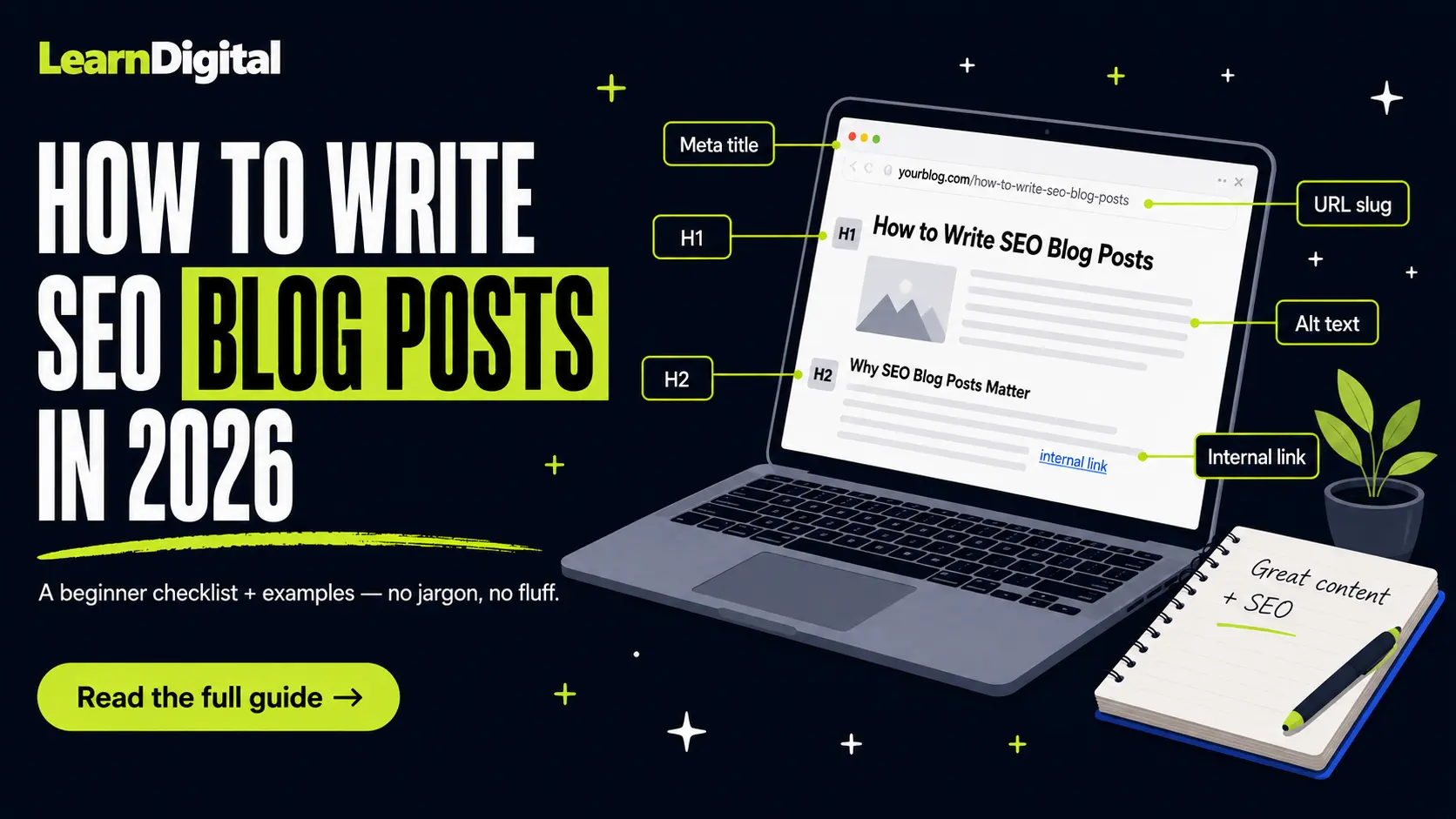
The time has finally come. You are about to write your first blog post and publish it on your personal website, or maybe even your company's website. I've been there, and honestly? It's not the easiest feeling. You're not 100% sure what you're doing, what to focus on, or whether anyone will ever read it.
That is exactly why this article exists. Step by step, we'll go through everything you need to publish your first SEO blog post — hopefully the first of many.
Quick honesty moment before we start: I'm not the SEO oracle. I'm still figuring this stuff out alongside you, and anyone who tells you they've "mastered" SEO is probably also selling a $997 course. So treat this as a solid, honest starting point from someone who's slightly further down the same road.
Ready? Let's write the thing.
What does "writing an SEO blog post" actually mean?
A lot of beginners assume an SEO blog post is something special — almost a different species of article that you write for robots instead of humans.
It's not. An SEO blog post is just a regular blog post that has been planned and structured so search engines can understand what it's about and show it to people who are looking for that exact topic.
That's it. Same useful content you'd write anyway. You're just being intentional about a few extra things, like which question you're answering, which words you're using, and how the page is organized.
If you're brand new to SEO in general, it's worth reading the SEO for beginners guide first, so the steps below make more sense in context.
Before you write a single word, pick the right keyword
The biggest mistake I see beginners make is opening a blank document and just… writing. No keyword, no plan, no idea who they're writing for. Then they wonder why nobody finds it on Google three months later.
Every SEO blog post should start with one main keyword — the topic and phrasing real people are typing into search engines. Everything else (title, headings, examples, internal links) flows from that one decision.
If you've never done this before, the full process is covered in the how to do keyword research for beginners guide. For the purposes of this article, here is the short version of what to look for.
How to choose keywords for blog posts as a beginner
A good first keyword for a new website usually checks four boxes:
- It's relevant to your topic and audience.
- It has a low keyword difficulty score (under 30 is a sensible starting point, under 20 is even better).
- It has at least some search volume, or it's a specific question you know people are asking.
- The search results look like blog posts, not product pages or YouTube videos. (More on this in a second.)
For example, "SEO" is a terrible first keyword because everyone and their grandmother is trying to rank for it. "How to write SEO blog posts for beginners" is realistic, specific, and has clear intent. That's the sweet spot.
For free keyword research tools, the community at Learning SEO's keyword research resources has a great curated list. Google Keyword Planner, Ubersuggest, and the free SEMrush limits are usually enough to get your first 10 posts off the ground.
How many keywords should a blog post have?
Short answer: one primary keyword, and somewhere between three and seven secondary keywords that are closely related variations.
You don't want to target five completely different topics in one article. That confuses Google about what the page is actually about, and it confuses readers too. One page, one core topic.
Secondary keywords are the natural variations and related questions. For this article, my primary keyword is "how to write SEO blog posts," but I'm also covering "SEO blog post checklist," "how to use keywords in a blog post," and "how to rank a blog post on Google" because they're all part of the same beginner question. They belong together.
Match search intent before you start writing
Here's the step most beginners skip, and then later wonder why their post isn't ranking.
Before you write anything, Google your keyword yourself and look at what's already on page one. What kind of content is Google showing? Step-by-step guides? Listicles? Comparison posts? Product pages?
Whatever format is already ranking is what Google has decided people want for that search. Your job isn't to reinvent the wheel — it's to create something at least as useful as what's already there, ideally better.
If page one is full of long, detailed beginner guides (like this one), don't publish a 400-word fluff piece and expect it to win. You'll lose. Match the format first, then differentiate on quality, examples, and clarity.
The basic structure of an SEO blog post
Every SEO-friendly blog post follows roughly the same skeleton. Once you've written a few, this becomes muscle memory.
Title (your H1)
This is the headline of the article, the most important on-page element. Your primary keyword should appear here in a natural way. Aim for around 50–60 characters so it doesn't get cut off in Google's search results.
Bad example: "Some Thoughts About Blog Writing and SEO"
Better example: "How to Write SEO Blog Posts: Beginner Checklist + Examples"
URL slug
Short, descriptive, and includes your primary keyword. Skip dates and filler words like "the" or "and" when you can. A clean slug is one of the easiest wins in SEO.
Good: /how-to-write-seo-blog-posts
Bad: /post?id=482-final-final-v3
Introduction
The first paragraph should make it obvious the reader landed in the right place. Mention the topic, hint at what they'll learn, and try to sound like a human being. If your intro reads like a Wikipedia article, rewrite it.
Including your primary keyword in the first 100 words is a nice-to-have, but don't force it. Natural always beats stuffed.
Body content with H2 and H3 headings
Break your content into clear sections using H2 for main sections and H3 for subsections inside them. This helps two groups of people:
- Readers who skim before they commit to reading the whole thing (which is most of us).
- Google, which uses headings to understand the structure and topics of your page.
Each H2 should cover one logical idea. If you find yourself writing 12 paragraphs under a single H2, that's a signal to split it into smaller chunks with H3s.
Conclusion or quick recap
End with a short summary of the key points. A bulleted recap works well because readers who skip to the bottom (and there are many of them) still walk away with the main takeaways.
For a deeper dive into structuring great content, the curated list of content optimization guides on LearningSEO.io is one of the best free resources I've come across.
How to use keywords in a blog post (without sounding like a robot)
This is the part that trips up most beginners. They've read somewhere that you need to "use the keyword" and then proceed to jam it into every other sentence. Please don't.
Modern Google is genuinely good at understanding topics. You don't need to repeat your keyword 47 times for it to "get" what your post is about. What you do need is to mention it in a handful of strategic places.
Where to place your primary keyword
- In your page title (the H1).
- Once in the URL slug.
- Once in your meta description.
- In at least one H2 heading.
- In the first 100 words of the introduction.
- Naturally throughout the body, where it actually fits the sentence.
Notice I said naturally. If you're rewriting sentences just to shove the keyword in, you're keyword stuffing, and Google has been ignoring that trick since roughly 2012.
Where to use secondary keywords
Secondary keywords work best as H2 or H3 section titles. For example, in this article, "How to use keywords in a blog post" is literally one of my secondary keywords, and I'm using it as a section heading. That's a section your reader actually wants to read, and the keyword appears in a meaningful place. Two birds, one carefully written H3.
How to choose keywords for blog posts without overthinking it
If you're stuck staring at a giant keyword list, here's a simple shortcut. For each post, ask yourself:
- What's the one main question this post answers?
- What are three or four related questions someone might also have?
The main question is your primary keyword. The related questions are your H2s and secondary keywords. That's most of your outline done in five minutes.
Write for humans first, Google second
This sounds like a marketing cliché, but it's actually the single most useful piece of writing advice I can give you in 2026.
Google's job is to surface content that genuinely helps the person searching. If readers land on your post, find what they need, and stay on the page, Google notices. If they bounce back to search results within five seconds, Google also notices, and not in a good way.
A few writing habits that pay off:
- Use short paragraphs. Two or three sentences each is plenty for the web.
- Write in plain language. If a teenager couldn't follow your sentence, simplify it.
- Use "you" and "I." Talking to your reader like a person beats sounding like a corporate brochure every time.
- Add examples. Abstract advice is easy to nod at and impossible to use.
- Cut filler. If a sentence doesn't add information, the reader will thank you for deleting it.
The Content Quality and E-E-A-T resources on LearningSEO.io are worth bookmarking for when you want to go deeper on what "helpful content" actually means to Google.
Don't forget the on-page basics
A great article with broken on-page SEO is like a great party with no signs to find the door. People (and Google) won't get there. These small things matter more than you'd think.
Meta title and meta description
The meta title is what shows up as the clickable headline in Google's search results. The meta description is the short blurb under it. Together, they decide whether someone clicks your post or scrolls past it.
Keep the meta title under 60 characters, include your primary keyword early, and give a clear reason to click. The description (around 150–160 characters) should expand on the promise and sound like a human wrote it.
Internal links
Whenever you mention a topic you've already covered on your blog, link to it. This helps readers explore more of your content, and it helps Google see how your articles connect into a topic cluster.
Two or three relevant internal links per blog post is a reasonable starting point. Don't link for the sake of linking, though. Each link should make sense to the reader.
Image alt text
Every image on your page should have alt text describing what's in it. This helps with accessibility for visually impaired readers and gives Google more context about the page. It's also free SEO points that almost no one bothers with, so it's an easy way to stand out.
A logical heading structure
One H1 per page (the title), then H2s for main sections, then H3s for subsections inside those. Don't skip from H1 to H3, and don't sprinkle headings randomly for visual decoration. Structure matters.
The full SEO blog post checklist
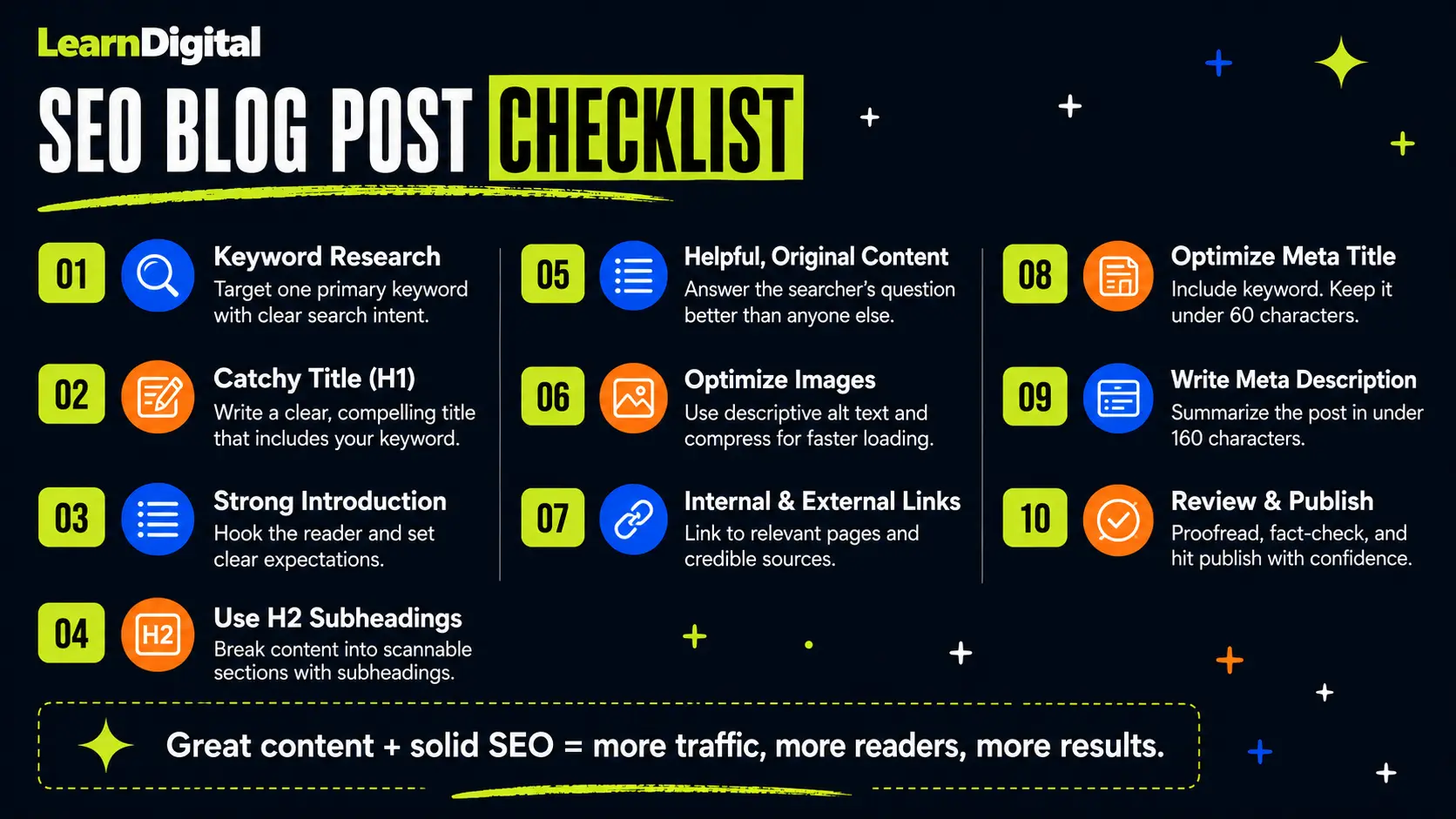
This is the checklist I run through every time I write a new post. Save it, print it, tape it to your monitor — whatever helps it stick.
Before you write
- Pick one clear primary keyword.
- Identify three to seven secondary keywords or related questions.
- Google your primary keyword and check what kind of content is already ranking.
- Outline your H2s and H3s based on the search results and the questions you want to answer.
While you write
- Use your primary keyword in the H1, URL slug, intro, and at least one H2.
- Use secondary keywords as section headings where they fit naturally.
- Write short paragraphs (two to three sentences each).
- Use simple, conversational language.
- Add examples wherever you can.
- Add internal links to two or three relevant posts on your site.
- Add at least one external link to a credible source if it helps the reader.
- Add images with descriptive alt text.
Before you publish
- Write a clear meta title (under 60 characters) with your primary keyword.
- Write a meta description (around 150–160 characters) that gives a reason to click.
- Check your URL slug. Is it short, clean, and keyword-friendly?
- Re-read your post out loud. Does it sound like a human wrote it?
- Spell-check, grammar-check, and fact-check anything that sounds confident but might not be.
- Add a clear call to action at the end (link to a related post, sign up, comment, etc.).
If you can tick every box above, you've already done more SEO work than 90% of new bloggers. Genuinely.
A quick example of an SEO blog post in action
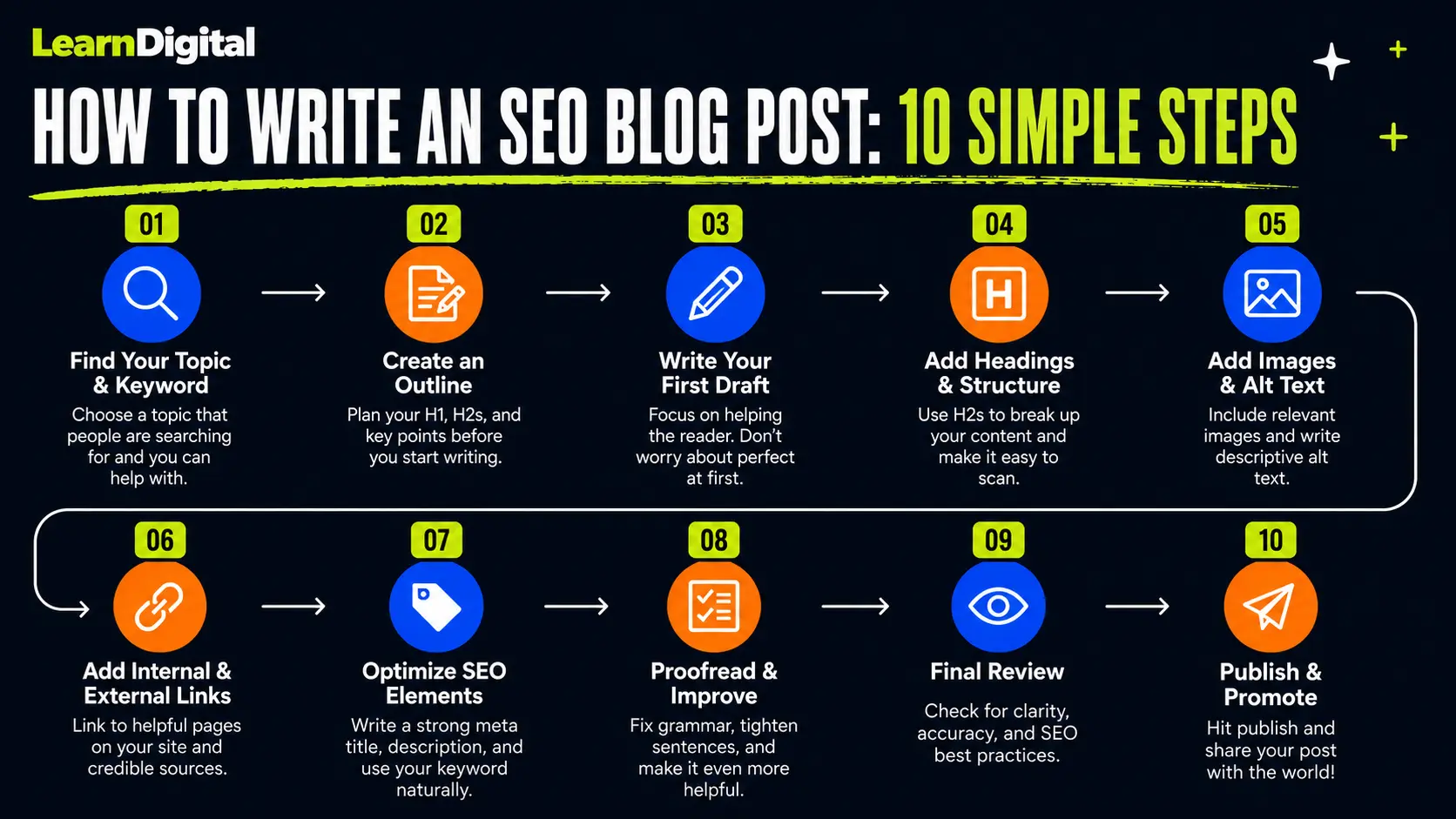
Let's say you run a small website about home coffee brewing, and you decide to write a post about French press recipes for beginners. Here's what the SEO skeleton might look like.
Primary keyword: how to use a French press
Secondary keywords: French press coffee ratio, French press brewing time, French press mistakes, French press grind size
Meta title: How to Use a French Press: Beginner Guide for Better Coffee
Meta description: Learn how to use a French press at home, including the right coffee ratio, brewing time, and grind size, with a beginner-friendly step-by-step guide.
URL slug: /how-to-use-a-french-press
H1: How to Use a French Press: A Beginner's Guide
H2: What is a French press and why people love it
H2: What you need before you start
H2: The right French press coffee ratio
H2: Step-by-step: how to brew with a French press
H2: Common French press mistakes to avoid
H2: Quick recap
Each H2 covers one focused chunk of the topic. Each one naturally uses related terms people search for. The post reads like a friend explaining how to make better coffee, not like a search engine got drunk and wrote a manual.
That, in 30 seconds, is the whole game.
How to rank a blog post on Google (the honest version)
Here's the part most beginner guides skip because it's less fun to say out loud.
Writing a great SEO blog post does not mean it will rank tomorrow. Or next week. Sometimes not even in the first three months. SEO is a long game, and the way blog content compounds over time is one of the most underrated features of the whole channel.
A few realistic expectations:
- New websites usually need six months or longer to start ranking for anything meaningful.
- Even great posts on established sites can take weeks to climb the rankings.
- Some posts never rank, and that's normal. Treat them as practice and move on.
- Updating older posts every six to twelve months often does more for traffic than writing new ones.
The fastest wins for beginners usually come from low-competition long-tail keywords. A specific question with a clear answer, a low keyword difficulty score, and no big brands on page one is the kind of post that can rank within a couple of months even on a new site.
If you're writing about emerging topics or topics affected by AI search results in 2026, our take on what's actually changing for SEO is in the Google's AI Search guide for beginners piece. The short version is that the fundamentals you're learning here still apply — original, helpful, well-structured content is still what wins.
For a curated set of guides on optimizing content for AI search specifically, LearningSEO.io has a dedicated AI Search content optimization section that's worth a look when you're ready to go beyond the basics.
Common mistakes beginners make (so you don't have to)
I've made most of these. So have most people I know who write online. Saving you the headache:
Writing without a keyword
If you don't know which search you're trying to win, you can't win it. Always start with the keyword, even if the post is mostly for yourself.
Picking keywords that are too competitive
"SEO," "marketing," and "fitness" are not keywords for a brand-new blog. Long-tail and specific is the move. You can always go for the bigger keywords later, once you have some authority built up.
Stuffing keywords
If a sentence reads weirdly because the keyword is jammed in, rewrite it. Your reader can tell. Google can tell. Everyone can tell.
Forgetting the meta title and description
You spent three hours writing the post. Spend five more minutes writing a meta title and description people actually want to click. It's the difference between a post that ranks and gets traffic and a post that just ranks.
Writing once and never updating
Blog posts age. Information changes. Refresh your posts every six to twelve months — fix outdated info, improve weak sections, add new examples. Updated posts often climb significantly in rankings after a refresh.
Giving up after two months
This is the big one. SEO results take time. Most people quit right before things start working. Don't be most people.
Quick recap
Here's what to actually remember from this whole article:
- An SEO blog post is a helpful blog post that's been planned for both readers and search engines.
- Start with one clear primary keyword and three to seven secondary keywords.
- Match the format of what's already ranking on page one before you write.
- Structure your post with one H1, clear H2s, and supporting H3s.
- Use your primary keyword in the title, URL, intro, meta description, and at least one heading.
- Write short paragraphs in plain language, like you're explaining it to a friend.
- Don't forget the meta title, meta description, alt text, and a couple of internal links.
- Be patient. Most posts take weeks to months to rank, and that's normal.
You don't need to get every blog post perfect. You need to publish one, learn from it, and write the next one a little better. That's the whole job.
Now go open a blank document and write that first post. Future-you will thank you.
See where blog writing fits in the bigger SEO picture
Writing SEO blog posts is one piece of a much bigger SEO puzzle. The full step-by-step guide shows how all the pieces connect — from keywords to technical setup to tracking your results.
Read the SEO for Beginners guide