Four years ago I had no idea what I was doing with Google Ads. I was two months into my marketing journey, running a tiny agency with two college friends and our faculty professor. We had two clients, both for short-form TikTok content, and Google Ads was that thing we knew existed but had never touched. Then our professor brought in a local rent-a-car business that wanted search campaigns. No social media. Just Google Ads. And then he flew to Thailand.
Different time zone, almost zero overlap unless one of us was awake at 2 AM (which, let's be honest, happened a lot). My two friends were not interested in Google Ads at all, so it ended up being me, Google, and a lot of YouTube tutorials trying to figure this thing out. The stress was real. But honestly? It was the most fun I've had in marketing. Setting up conversion tracking, researching keywords, sorting ad groups, picking match types, then watching that first test conversion fire correctly... I still remember the dopamine hit.
I'm telling you this because if you're reading a Google Ads beginner tutorial right now, you're probably feeling that same mix of "I want to figure this out" and "what is happening." This guide is the one I wish I had back then. I'll walk you through everything in plain language, share the mistakes I made so you can skip them, and try to keep things friendly instead of making you feel like you need a PhD to run an ad.
Quick disclaimer before we start: the Google Ads interface changes constantly, and I'm still learning new things every month. I'll do my best to be accurate, but Google has a habit of moving buttons around right when you get used to them. If something looks slightly different in your account, don't panic. The logic stays the same.
What is Google Ads, really?
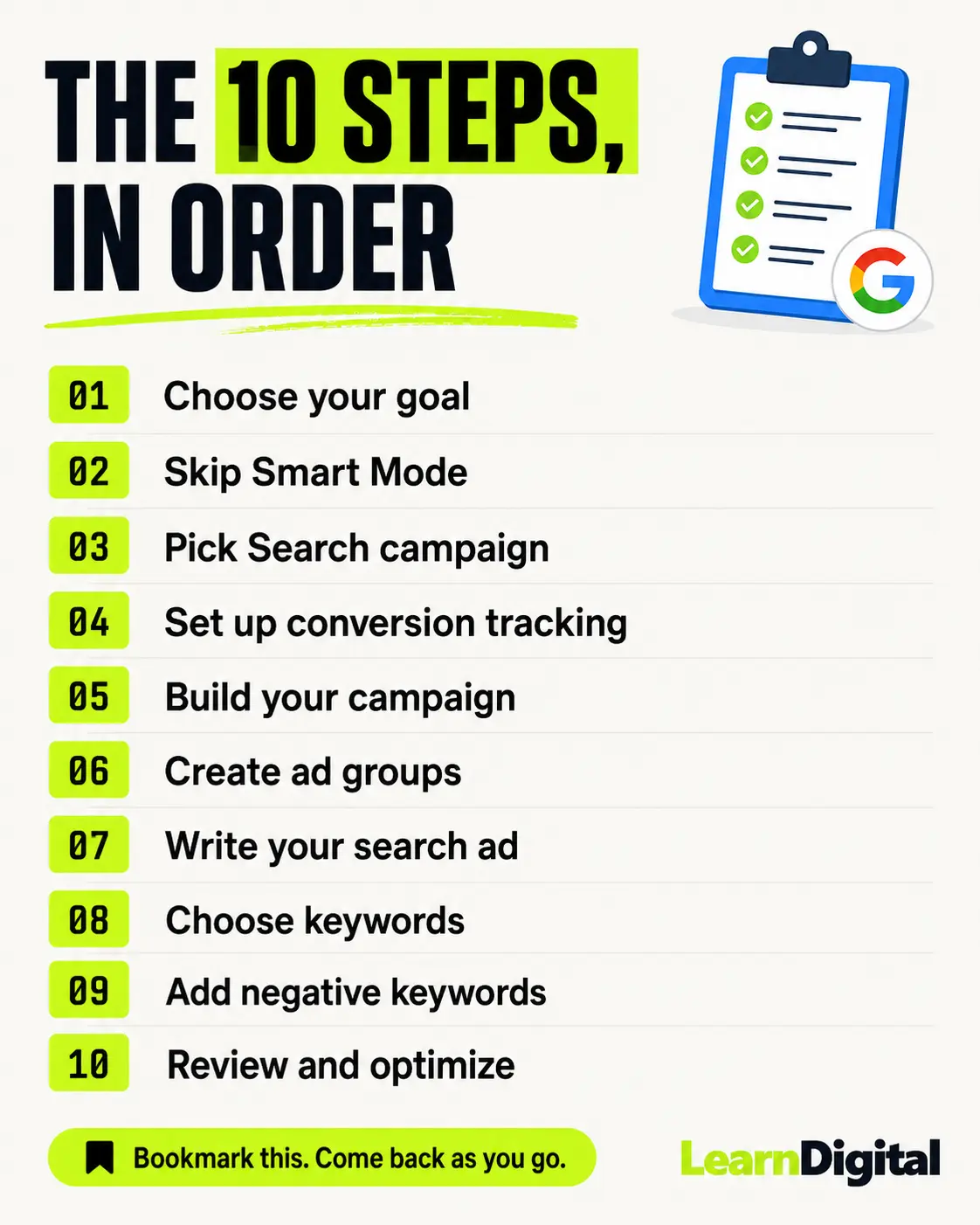
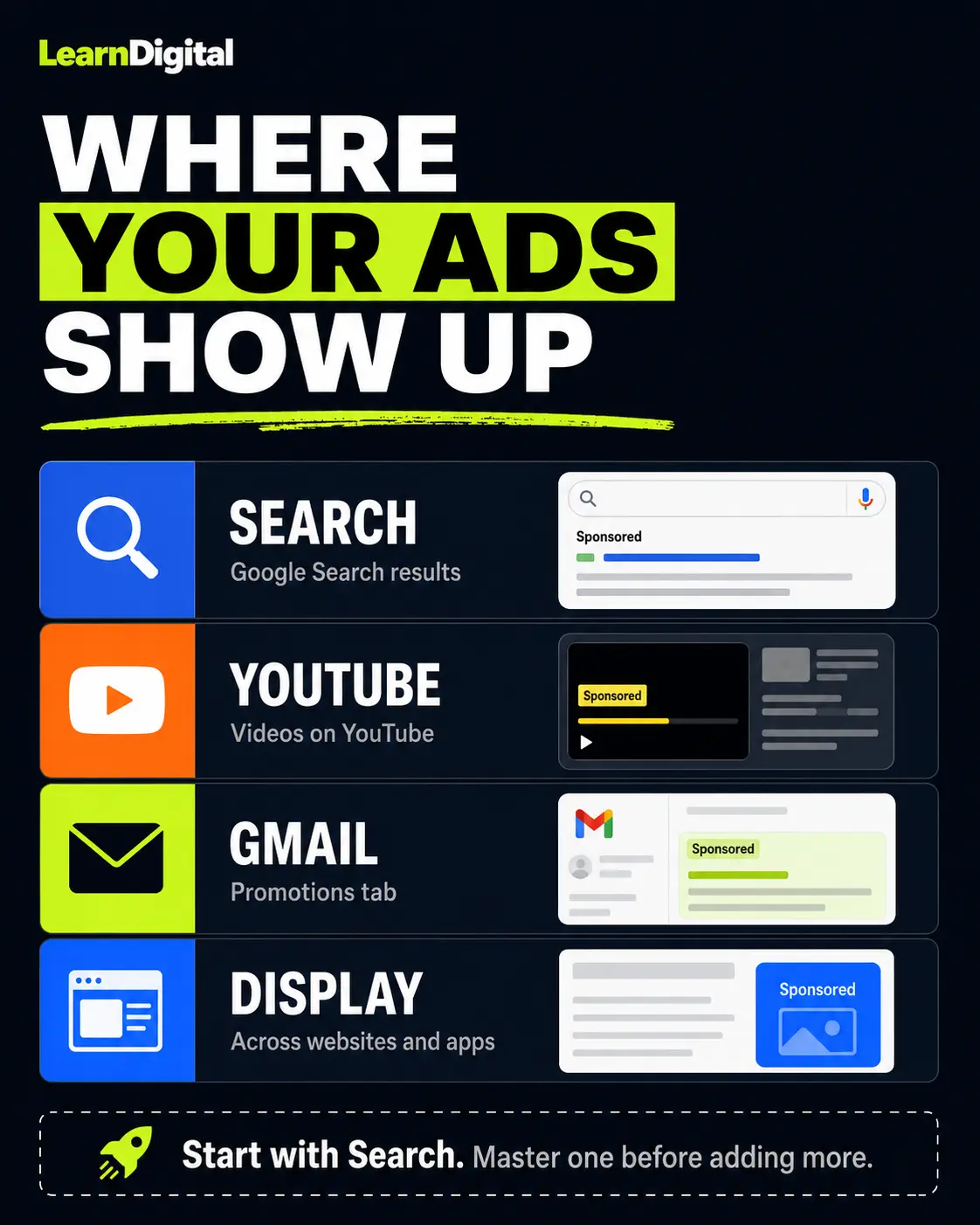
Google Ads is Google's advertising platform. You pay Google to show your ads on the search results page when someone types a query, on YouTube, on Gmail, or on websites across the internet through their display network. The most common starting point, and the one I'll focus on here, is search ads. Those are the text ads at the top of Google when you search for something like "best pizza near me" or "rent a car Belgrade."
You pay when someone clicks your ad (this is called CPC, cost per click). Sometimes you pay for impressions or views, but for beginners running search campaigns, think clicks. The price per click depends on how competitive your keywords are. Insurance and lawyer keywords cost a fortune. Local rent-a-car keywords? Way more reasonable.
Before you start: what you actually need
Before you even open Google Ads, take a breath. Most beginners (me included, back in 2022) jump straight into the platform and start clicking. Then three days later they're wondering why they spent 200 dollars on irrelevant clicks. Here's what to sort out first.
A clear goal
What do you want from this campaign? Phone calls? Form submissions? Online purchases? Bookings? If you can't answer this in one sentence, you're not ready. For my rent-a-car client, the goal was simple: bookings through the website form and phone calls. That clarity saved me later when I had to decide what to track and what to ignore.
A website that works
Your ads send people somewhere. That somewhere needs to load fast, look decent on mobile, and have an obvious next step (a contact form, a booking button, a "buy now"). If your landing page is bad, Google Ads will just make your bad landing page bad faster, with a smaller wallet.
A budget you can afford to lose while learning
Don't put your rent money in here. Your first month is basically tuition. Even with research and planning, you'll waste some clicks. That's part of how you learn what works. Start small, maybe 10 to 20 dollars per day, and increase only when you see something that's actually performing.
Patience
Google Ads does not work on day one. You'll probably hate me for saying this, but it's true. The algorithm needs data, and you need data to make decisions. Give it at least two weeks before you start tearing things apart.
How to set up Google Ads, step by step
Step 1: Create your Google Ads account
Go to ads.google.com and sign in with the Google account you want to use for advertising. I recommend a dedicated business account, not your personal Gmail with cat memes.
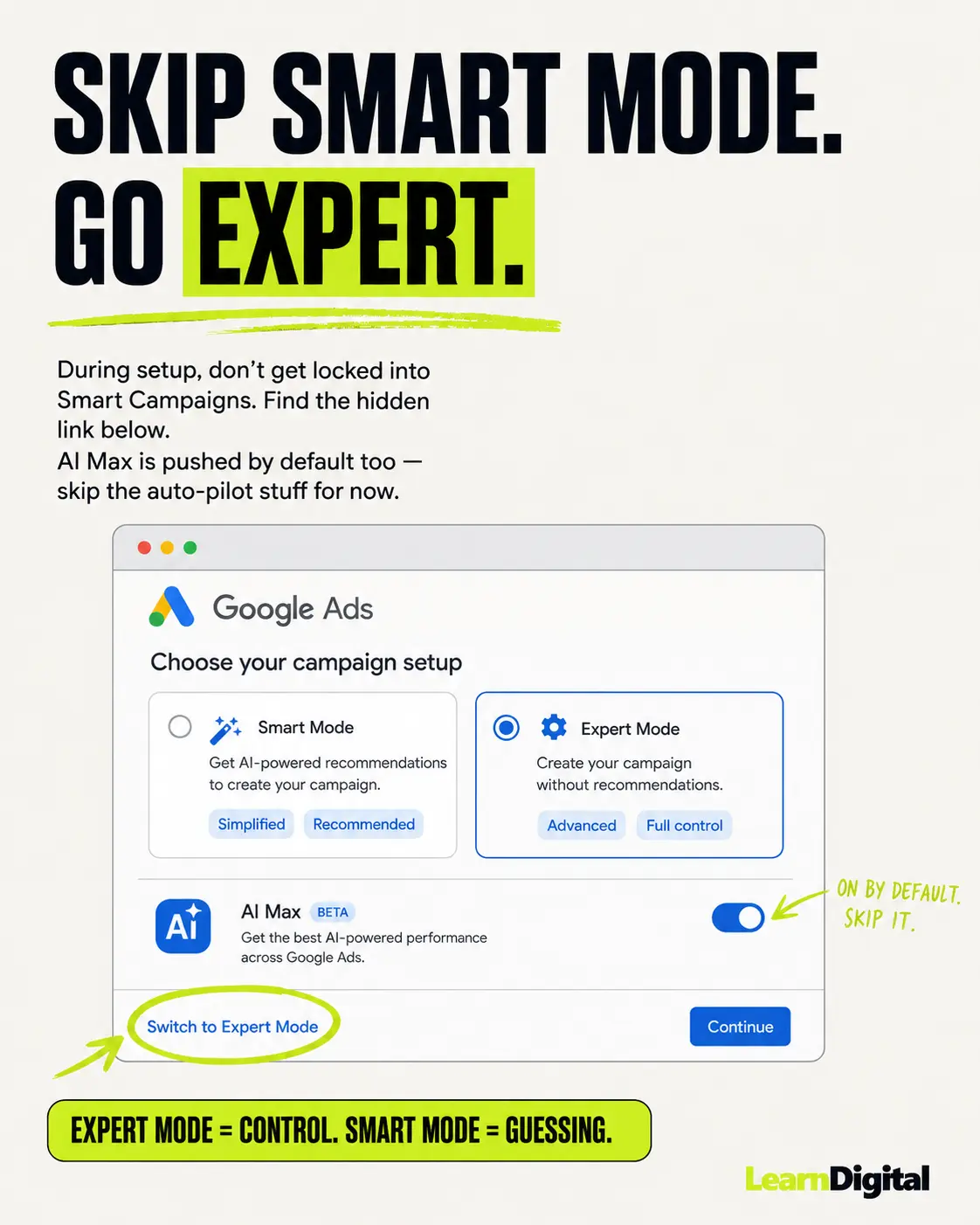
When you create the account, Google will try really hard to push you into "Smart Mode" or "Smart Campaigns." This is Google holding your hand a little too tightly. For learning purposes, you want Expert Mode. Look for the small link that says something like "Switch to Expert Mode," usually buried near the bottom of the setup screen. Click that. You'll get full control over your campaigns.
Step 2: Set up billing
Add your payment method. Google supports cards, bank accounts in many countries, and sometimes manual payments. Pick whatever works for you. I'd also suggest setting an account-level budget limit if your country supports it, just so a misclick doesn't drain your card.
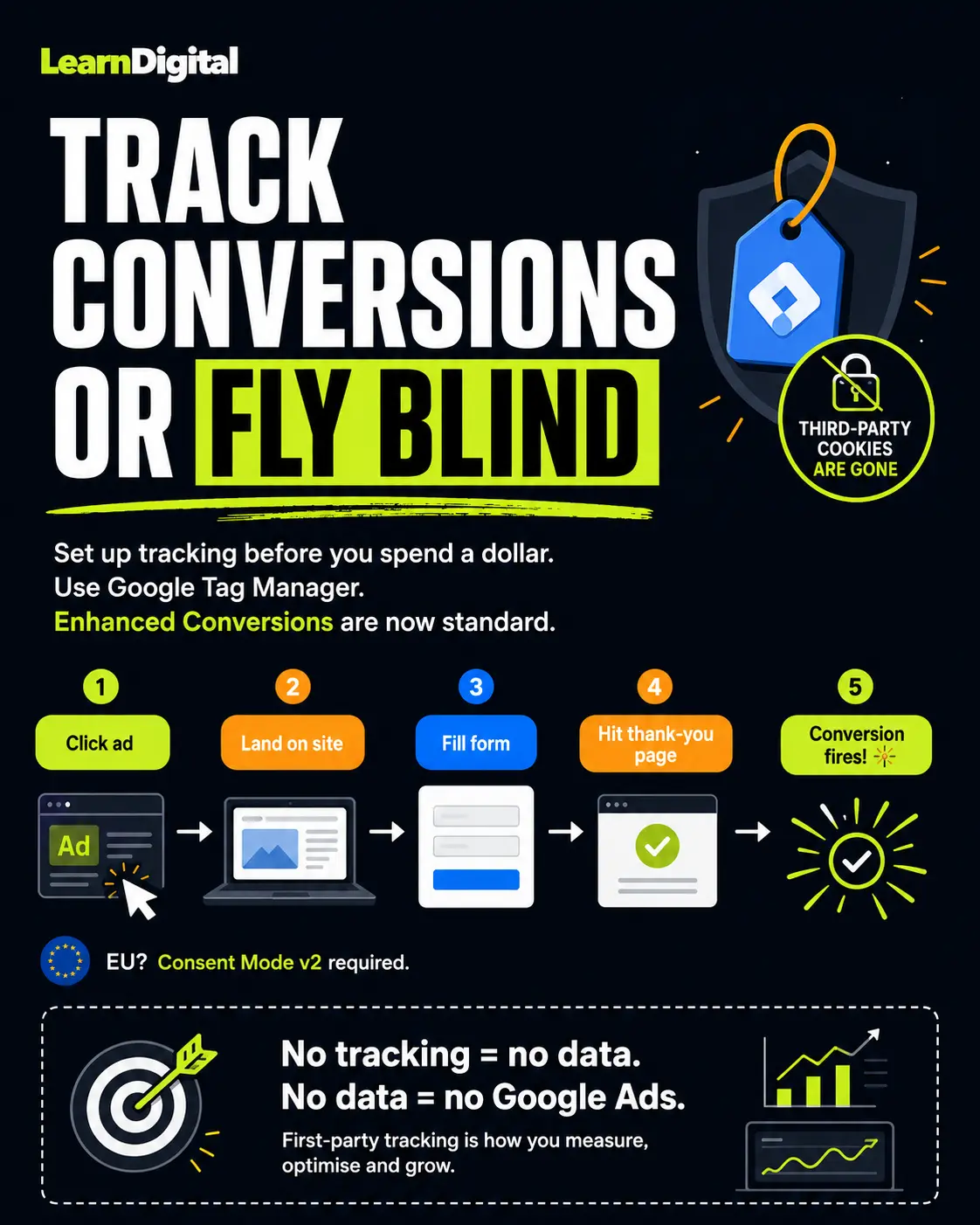
Step 3: Set up conversion tracking (please don't skip this)
This is where most beginners mess up, and where I almost did too. If you don't have conversion tracking, you have no idea what your ads are actually achieving. You'll see clicks. You'll see money leaving your bank account. But you won't know if any of those clicks turned into customers. You're basically flying blind.
There are two main ways to set this up.
The first is directly through the Google Ads conversion tracking tag. Go to Tools > Conversions, create a new conversion (phone call, form submission, purchase, whatever you care about), and Google gives you a snippet to put on your site.
The second, and the one I learned to love, is Google Tag Manager. It sounds scarier than it is. You install one tag (Google Tag Manager) on your site, and then you can manage all your tracking from inside GTM without touching your website code again. For my rent-a-car project, I set up a trigger that fired the conversion tag whenever someone hit the "thank you" page after submitting the booking form.
When I saw my first test conversion fire correctly in real time, I think I texted my professor in Thailand at 3 AM his time. He probably wanted to mute me. I would have. But it worked. That's the moment you know your tracking is real, and from then on every number you see in your dashboard actually means something.
Step 4: Keyword research
Keywords are the words and phrases people type into Google. Your ads show up based on which keywords you've chosen to bid on. This is the foundation of search campaigns, so do not rush it.
Open Google Keyword Planner (inside Google Ads, under Tools > Keyword Planner). Type in some seed terms related to your business. For the rent-a-car project, I started with "rent a car," "car rental," "rent a car [city name]," "car rental airport," and so on. The tool will show you suggestions, search volumes, and rough cost estimates.
A few things I learned the hard way:
Long-tail keywords (longer, more specific phrases like "rent a car Belgrade airport cheap") usually convert better than short ones. They show clearer intent. Someone typing "car" is just curious. Someone typing "rent a car Belgrade airport this weekend" has a wallet open.
Don't trust the volume numbers as gospel. Keyword Planner gives you ranges, not exact numbers, especially if you haven't spent money yet.
Look for keywords with commercial intent. "How does car rental insurance work" is informational. "Rent a car Belgrade weekend" is commercial. The second one is what you want for direct-response campaigns.
Step 5: Organize keywords into ad groups
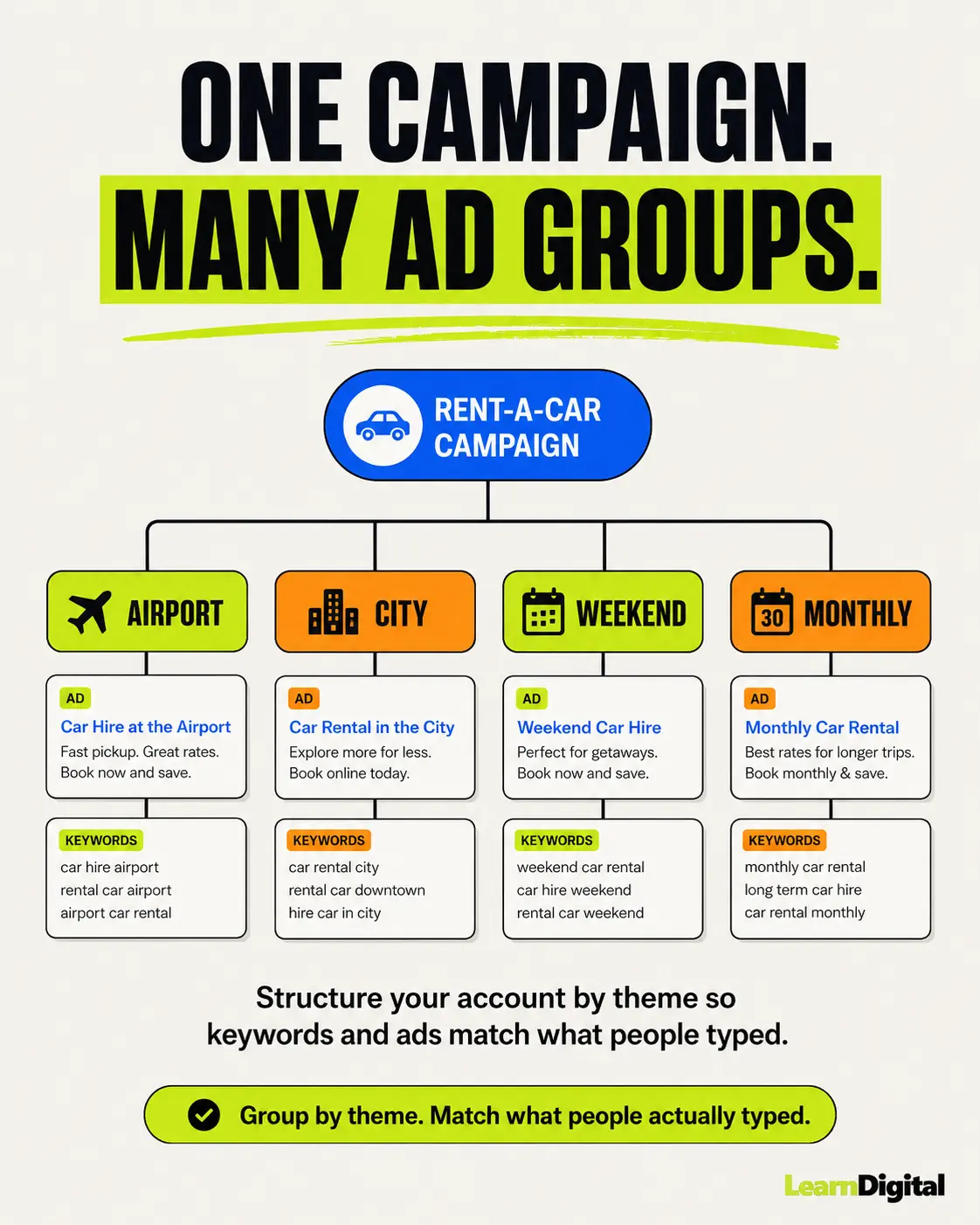
An ad group is a bucket of related keywords that share the same ads. The mistake almost every beginner makes is throwing 100 random keywords into one ad group. Don't do that. Your ads won't match what people searched for, and your relevance score (Quality Score) will tank.
Group keywords by theme. For the rent-a-car project, I had separate ad groups for airport rentals (keywords with "airport" in them), city rentals (city name keywords), short-term rentals (daily, weekend), long-term rentals (monthly), and so on.
Each ad group then got its own set of ads tailored to that specific theme. Someone searching "airport car rental" sees an ad about airport pickup. Someone searching "monthly car rental" sees an ad about monthly rates. Simple, but it changes everything.
Step 6: Pick your keyword match types
Google Ads has three match types that decide how loosely or strictly your keywords trigger ads.
Exact match (written in [square brackets]) only triggers your ad when someone searches that exact phrase or very close variations. Tight control, lower reach.
Phrase match (written in "quotes") triggers your ad when someone's search includes your keyword phrase in a similar order. Middle ground.
Broad match (no symbols) triggers your ad for anything Google thinks is related. Can be useful, but it's also a great way to burn money on irrelevant searches if you're not watching closely.
When you're starting out, I'd recommend mostly phrase match with a bit of exact match. Save broad match for later when you have data and a smart bidding strategy backing it up.
Step 7: Add negative keywords
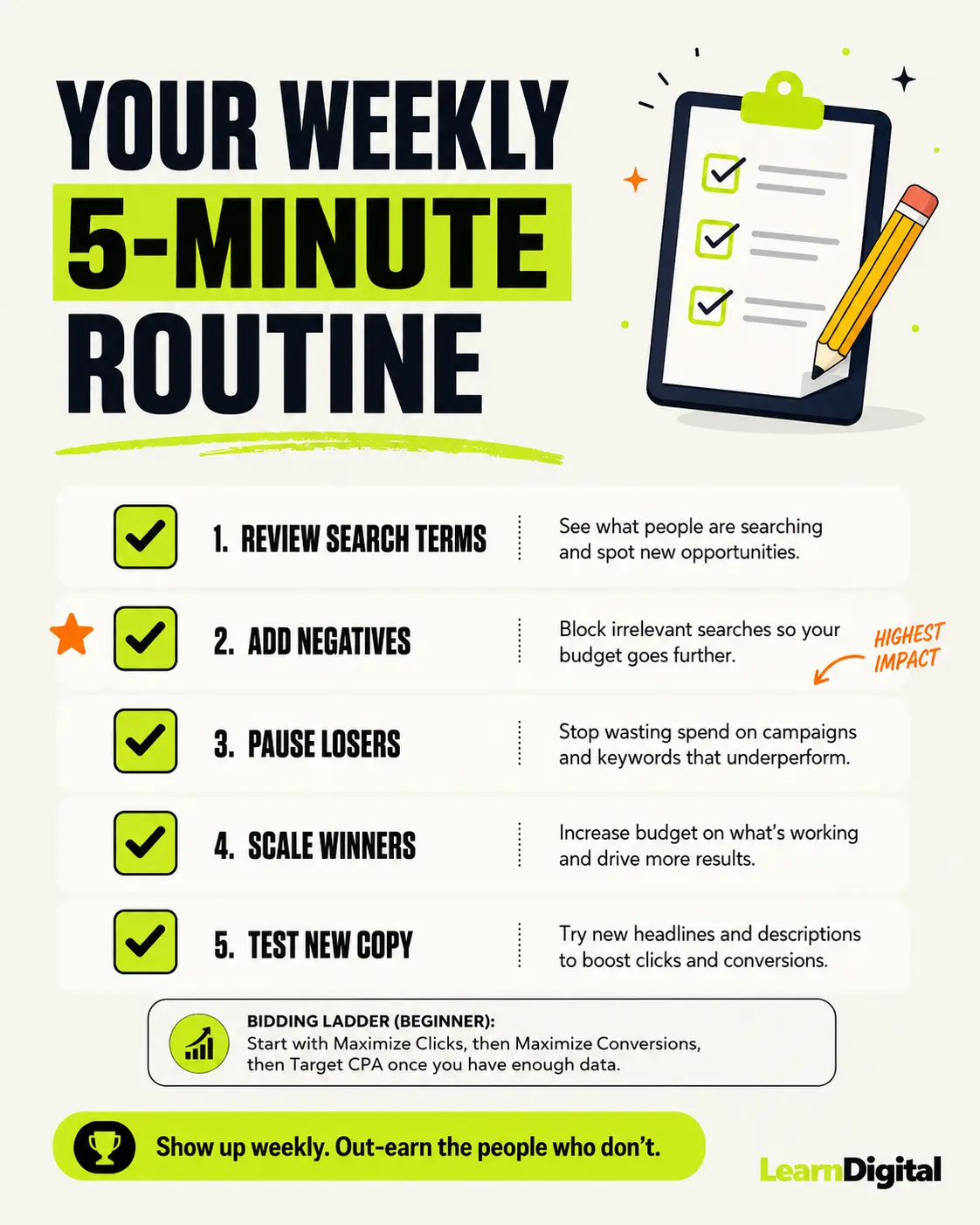
Negative keywords are searches you don't want to show up for. This is the secret weapon nobody talks about enough. For the rent-a-car client, I added negatives like "buy," "for sale," "jobs," "rent a car game," "rent a car movie," and so on. Otherwise we'd have been paying for clicks from people looking for a used car listing or a Netflix recommendation.
Keep a running list. Every week, look at the Search Terms report (more on this in Step 10) and add new irrelevant queries as negatives. This is one of the highest-impact things you can do, and it's free.
Step 8: Write your ads
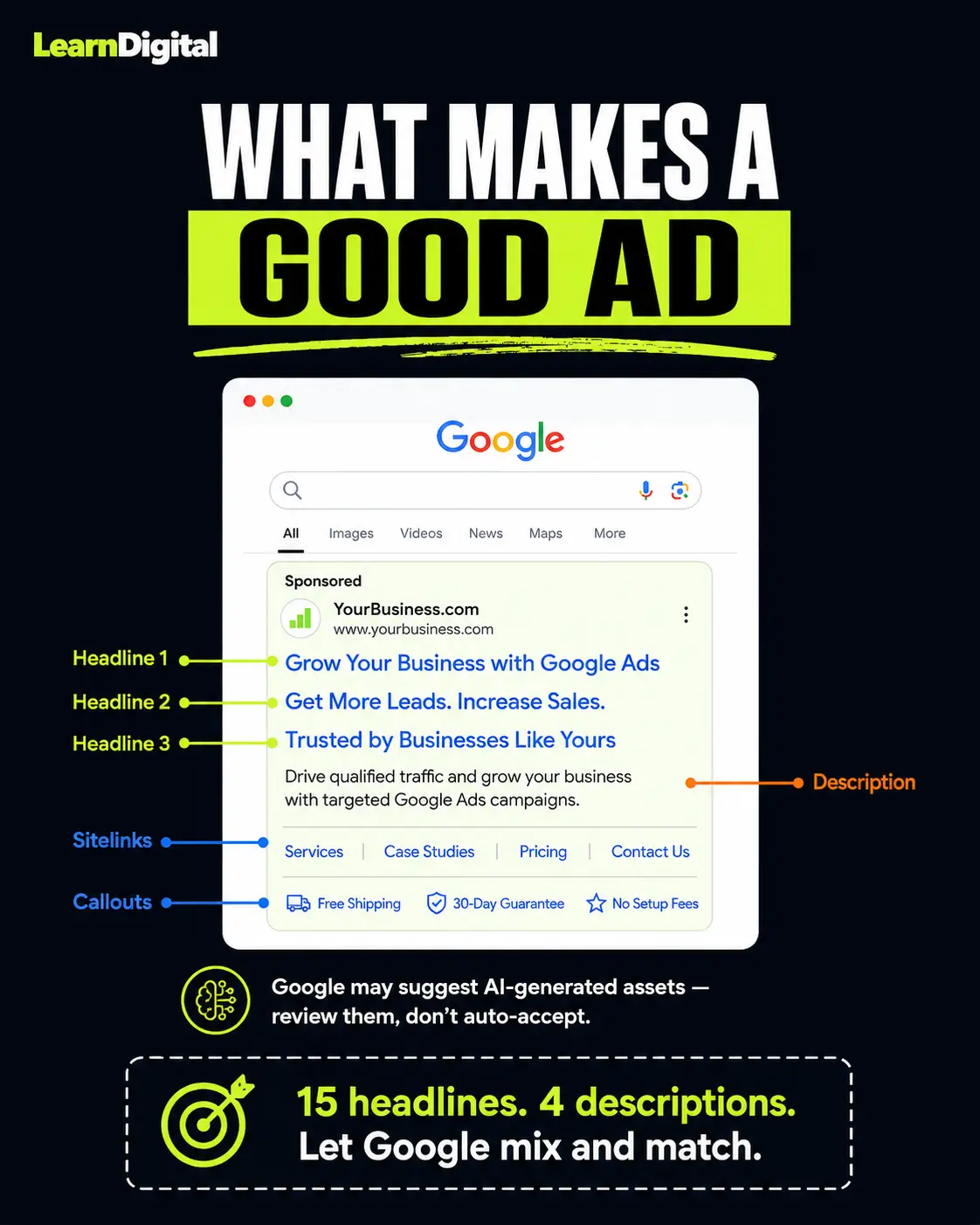
Google's current ad format is called Responsive Search Ads (RSAs). You provide up to 15 headlines and 4 descriptions, and Google mixes and matches them to find what works best.
Things that helped me write better ads:
Include your keyword in at least one headline. People searching for "rent a car airport" want to see "rent a car at the airport" in the ad. Confidence boost for them, relevance boost for you.
Use one headline for a benefit (free cancellation, 24/7 pickup), one for a feature (newest models, 5-star reviews), one for a call to action (book now, get a quote), and one for trust (since 1995, 10,000 happy customers).
Turn on ad extensions. Sitelinks, callouts, structured snippets, call extensions. Google rewards you with more screen space, and they're free. Just turn them on.
Step 9: Set your budget and bidding strategy
For your daily budget, start with what you can comfortably lose for the first two weeks. If you set 10 dollars per day, Google might spend up to roughly twice that on a high-traffic day, but it averages out over the month.
For bidding strategy, beginners get a lot of confusing advice here. My honest take: if you have zero conversion data, start with Maximize Clicks with a max CPC bid limit, just so Google doesn't go wild on a single click. After you've gathered 30 to 50 conversions, you can try Maximize Conversions or Target CPA, which are smart bidding strategies that use Google's machine learning to find the right people.
Don't switch strategies every two days. It takes time for the algorithm to settle in.
Step 10: Launch, then watch (don't panic)
Click publish. Then walk away for 24 hours. Seriously. The hardest part of Google Ads for me, four years ago, was not refreshing the dashboard every 15 minutes. Data doesn't trickle in evenly, and you'll make terrible decisions if you panic on day one based on three clicks.
After about a week, you'll have something to look at. Here's what to focus on.
The Search Terms report (Insights and Reports > Search Terms) shows the actual queries that triggered your ads. This is gold. You'll see what Google thought was a match for your keywords, and most of the time you'll be surprised, sometimes pleasantly, sometimes horrified. Add the bad ones as negatives, add the great ones as new exact-match keywords.
Your conversion data (in the Conversions column) tells you what's working. If one ad group has 8 conversions and another has 0 after spending the same amount, you know where to put more money.
Quality Score (visible in the keywords tab if you add the column) is Google's rating of how relevant your keyword, ad, and landing page combo is. Higher score, lower cost per click, better ad position. Aim for 7 or above on your main keywords.
Common beginner mistakes I made (so you don't have to)
Letting Google "optimize" everything without understanding what changed. Google loves to recommend things in the Recommendations tab. Some are great. Some will gut your account. Read what each one actually does before clicking apply.
Ignoring mobile experience. Most clicks come from mobile. If your landing page is a mess on a phone, you're paying for clicks that bounce in two seconds.
Not having conversion tracking from day one. I know I already said this, but it's worth repeating. Without tracking, you're guessing. With tracking, you're learning.
Setting it and forgetting it. Google Ads is not a slow cooker. You need to check it at least twice a week in the first few months, more in the beginning.
Going broad too early. Broad match plus no negatives plus smart bidding plus no conversion data equals you funding Google's next yacht.
Where to learn more (because this guide is just the start)
Google has its own free certification program called Google Skillshop. It's free, decent, and you get a certificate at the end. I went through it back when I started, and while some of it feels like Google selling you on Google, the foundations are solid.
If you prefer video, search for Google Ads tutorial on YouTube and you'll find dozens of options. I won't pretend I have a favorite right now since the platform changes too fast for me to keep up with every creator, but look for channels that update their content regularly. A Google Ads tutorial video from 2021 will show you an interface that doesn't exist anymore.
And honestly, the best teacher I've had has been running real campaigns. You can read every blog (including this one) and watch every video, but you'll learn more in two weeks of running a real campaign with real money than in two months of theory.
Final thoughts
If you're starting out with Google Ads in 2026, you're starting at a weird and exciting time. The platform has more automation than ever, which is both a blessing (less manual work) and a curse (harder to understand what's actually happening). My advice: learn the manual basics first, even if you plan to use smart bidding later. Understanding why something works will save you when it stops working.
And remember, nobody starts out good at this. I had a professor in Thailand, two friends who couldn't have cared less about Google Ads, and a mild panic attack every other day. I figured it out by doing it, breaking it, fixing it, and trying again. You'll do the same. The first time you see a conversion roll in from an ad you set up, you'll get why people fall in love with this stuff.
Good luck. Go set up your account. And if you mess something up on day three, that's normal. Welcome to the club.